

How it works
Six jobs a buying team has to do.
Plan, source, commit, expedite, claim, report — the six jobs of direct materials procurement, the parts that go into what you build. Each runs on the same set of numbers as the one before it, which is why the answer at the sixth is made of the work done at the first — and why it can still be explained three months later.
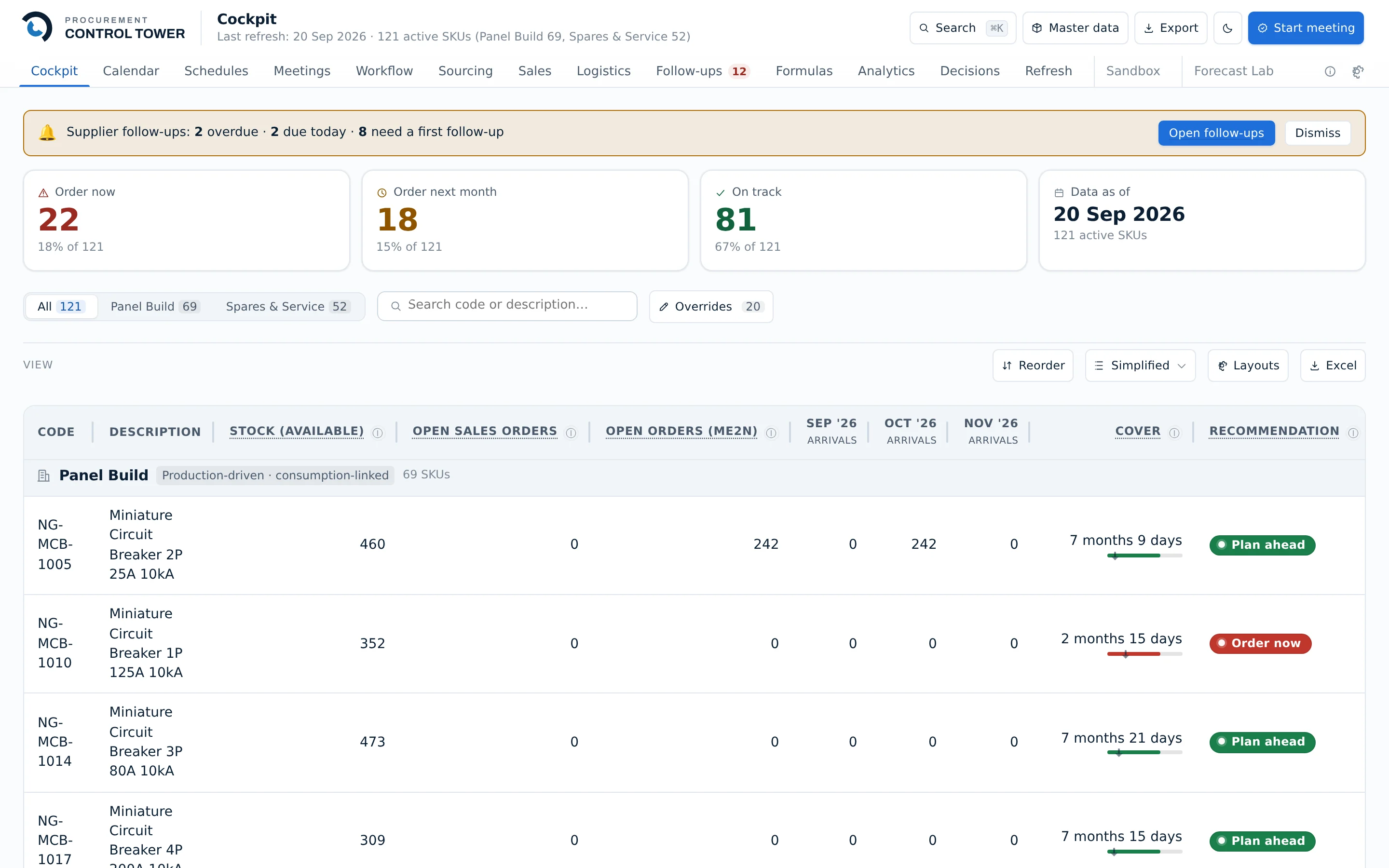
Plan — what to buy, and when
One table, every item. Stock available, committed customer demand, open purchase orders, what is arriving in each of the next three months, and how many months of cover that adds up to. Each row carries its own verdict: order now, order next month, or on track.
The four tiles at the top are the whole week in one line — how many need ordering now, how many next month, how many are fine, and how old the data is. Everything not flagged is everything you do not have to look at.
- Cover is net of committed demand and inclusive of what is already shipping
- Thresholds come from your own lead times, safety stock and service levels
- Works on a phone — a separate mobile interface, not a squeezed desktop one
Source — what it will really cost
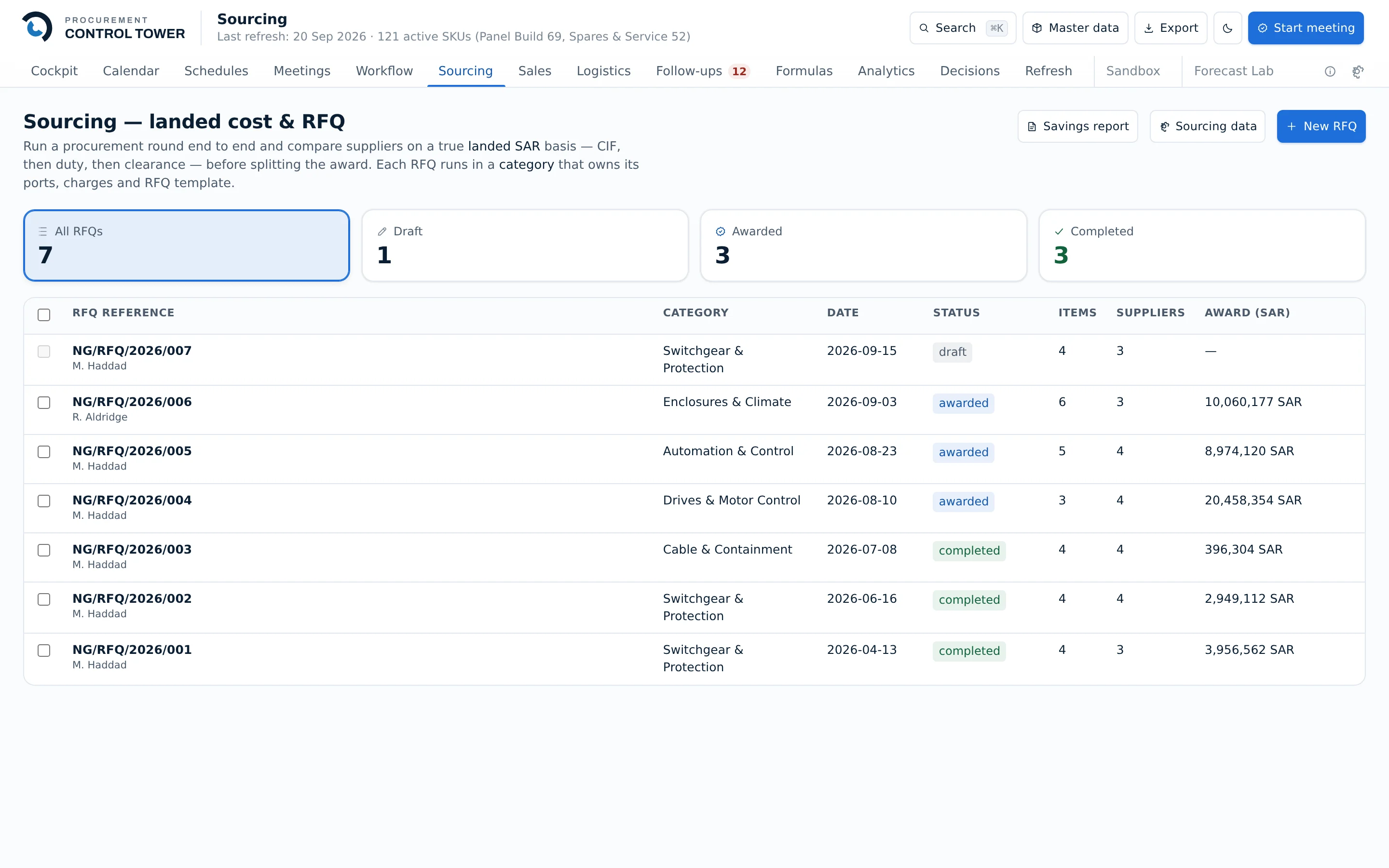
A sourcing event holds the whole enquiry under one reference: the requirement lines, the suppliers with their ports, incoterms and currencies, the RFQ document, every quotation, the comparison and the award.
Quotes are entered in each supplier’s own currency and compared on landed cost — the total cost of owning that purchase: price to CIF by exchange rate, plus duty, plus the charges from port to plant, divided by what a container holds. That is regularly a different ranking from the one on the quotations, and it is the ranking that decides what the material costs.
- The first price saved is kept as the benchmark, so the negotiated saving is measured against something real — and the realised saving, against what the same goods cost last time, is reported separately
- An award can be split across suppliers, with the reason for each line recorded beside it
- The premium a second source costs is shown, not buried
Commit — turn the award into a dated promise
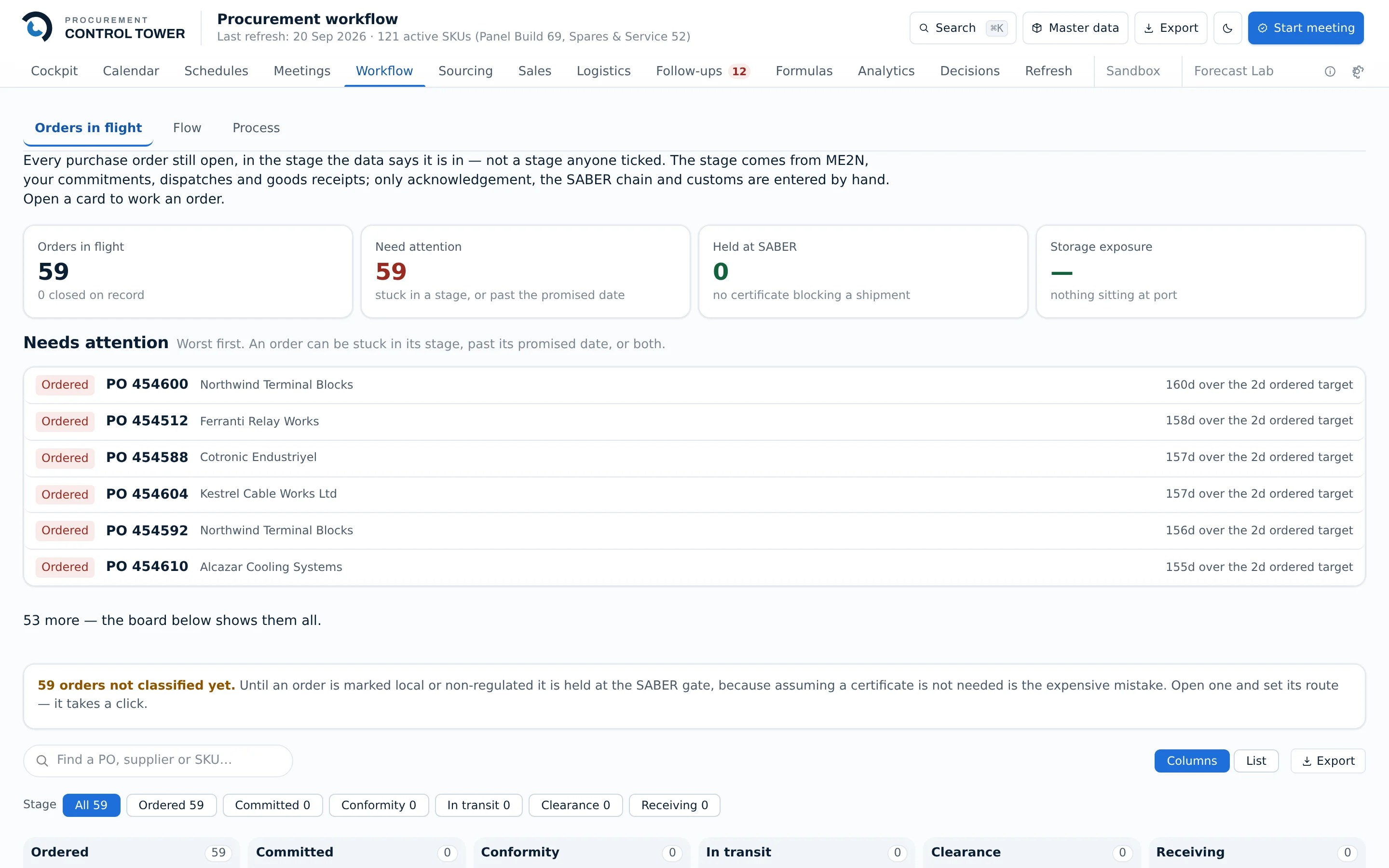
An award is not a delivery. A schedule reference is built against the purchase order carrying the quantity and the committed dispatch date, and that date is the one every later question is asked against.
The order, the approval, the dispatch and the payment are tracked as one chain rather than five systems. When a supplier moves a date, the revision is classified — supplier delay, buyer hold, or force majeure — and that choice is what decides who carries the cost.
- Approvals are enforced by the database, not by the button being hidden
- A revision keeps the original commitment, so the promise it replaced is still there
- A frozen snapshot can replay any past week exactly as it looked
Expedite — chase what is late
Most of the value in procurement is not placing the order. It is knowing which supplier has gone quiet, and when you last asked.
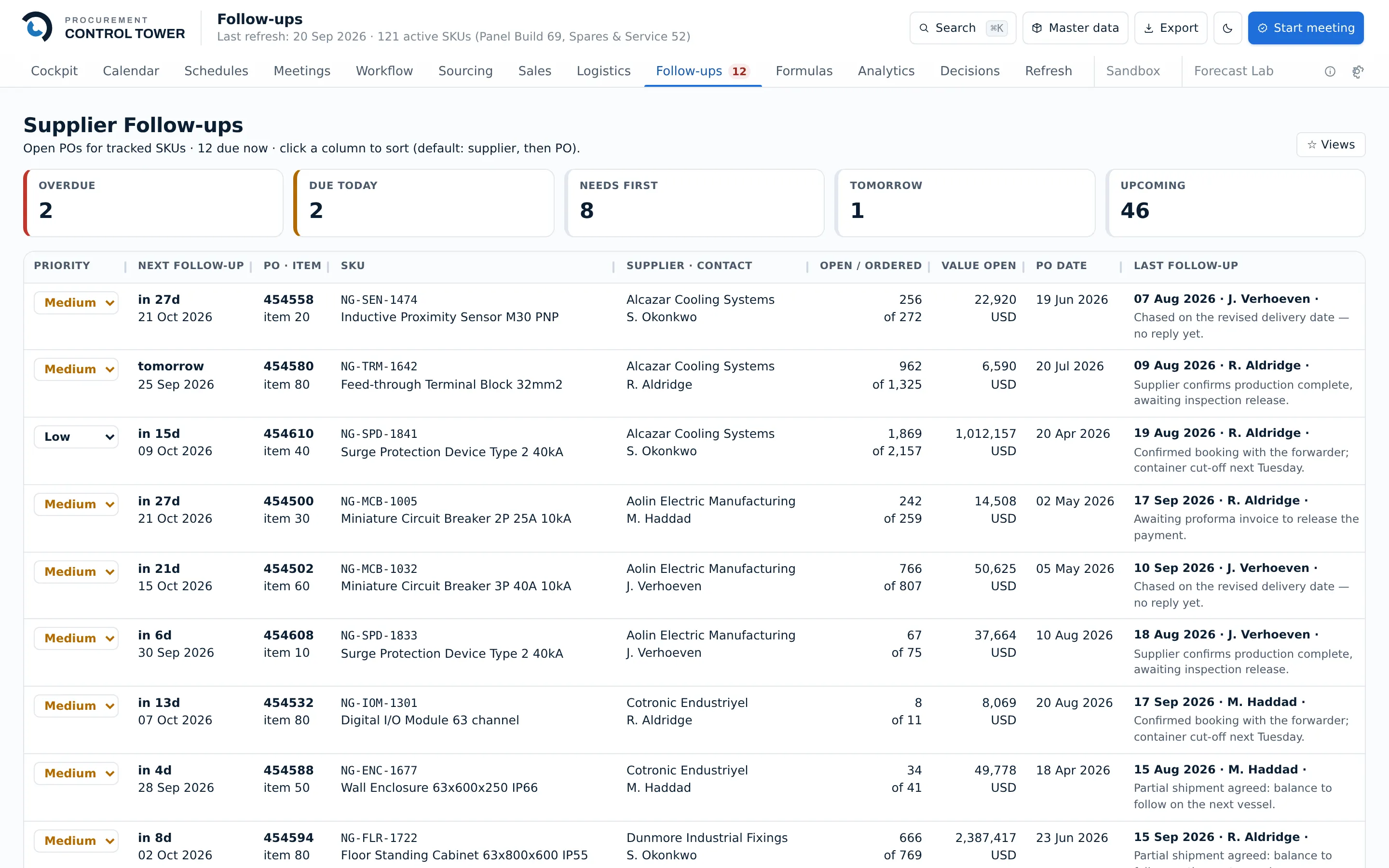
Every open purchase order carries its own follow-up thread: what was promised, by whom, on what date, and when to ask again. The queue sorts itself by what is overdue, and each row shows how much is still open and what it is worth — so the hour goes on the orders that deserve it.
- Orders that have never been chased are counted separately from ones that are simply due
- What the supplier actually said is kept with the date and the person who logged it
- Three months later that thread is the difference between a claim and an argument
Claim — the clause you already have
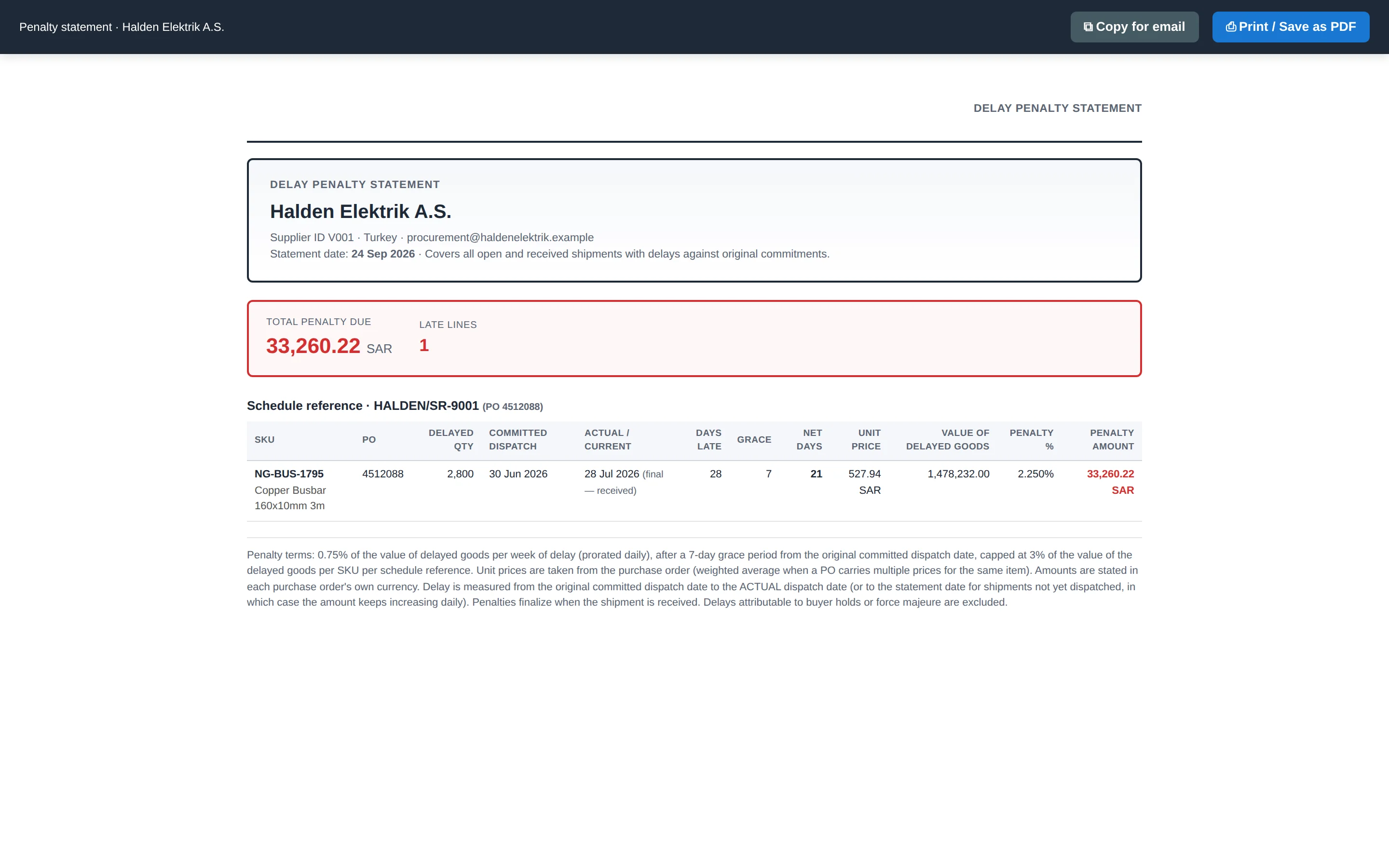
Many supply contracts carry a liquidated damages clause, and where one exists it is usually tracked in a spreadsheet — late, partially, or not at all. Not because the arithmetic is hard, but because the four numbers it needs sit in four different places: what was committed and when, what actually shipped and when, how much of it, and at what price.
Here they are already in one system. Enter the clause once — rate per week, grace days, cap percentage — and it computes per item, per schedule reference, in the purchase order’s own currency, measured from the original commitment rather than the revised one.
- An undelivered shipment accrues against today, so the number keeps moving until it lands
- Delays classified as a buyer hold or force majeure accrue nothing
- It comes out as a statement you can send, not a screenshot
Report — the same work, added up
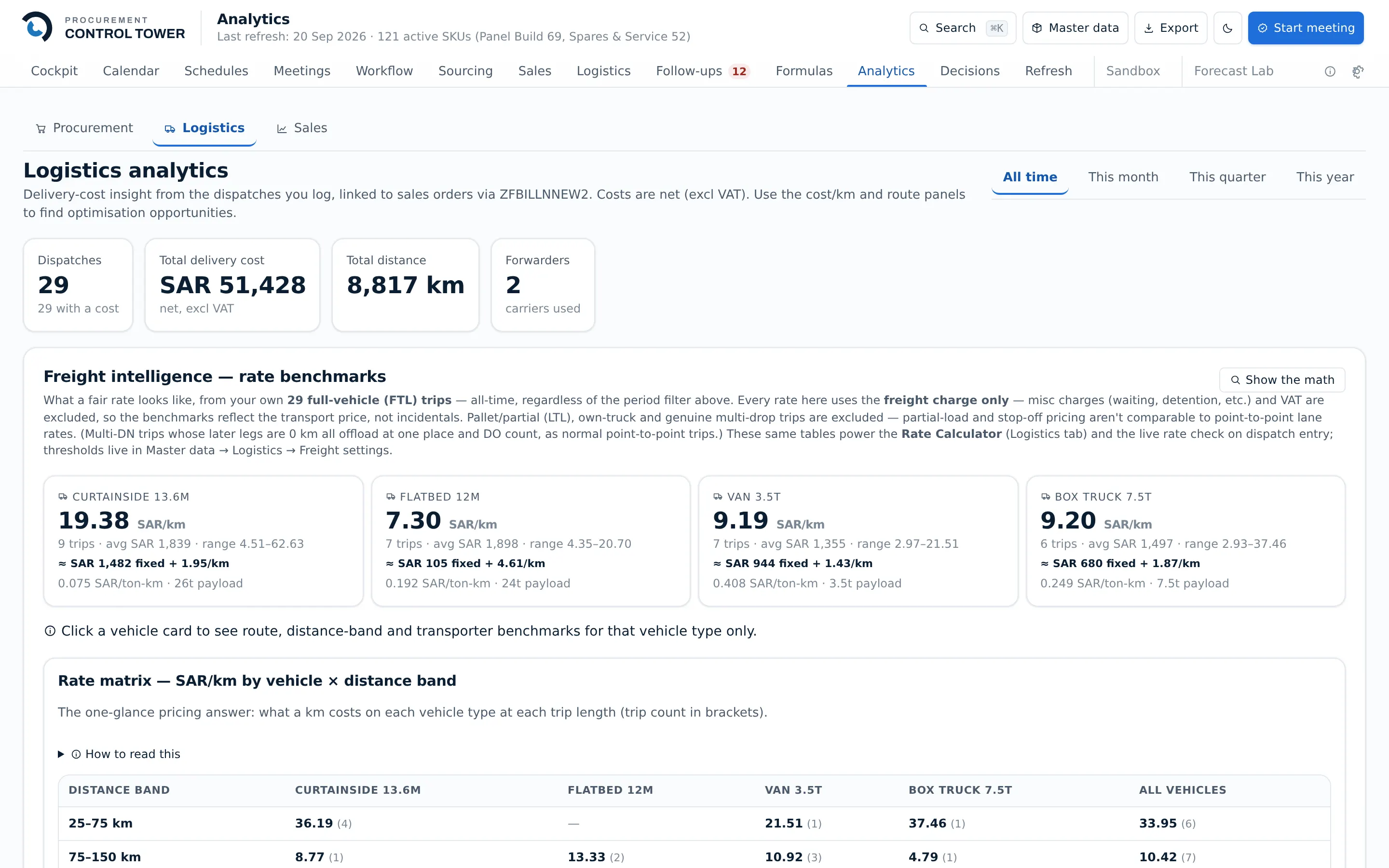
Nothing here is rekeyed to produce a report. The records the five jobs above create are the report: supplier delivery against commitments, what freight actually costs per kilometre on each vehicle type, where the open sales pipeline sits, and what was decided on what evidence.
A decision log holds every call with its reason and its author, and flags the parameters being corrected by hand over and over — which is a signal about the model rather than about the buyer.
- Freight benchmarks fitted from your own trips, not a rate card that was out of date when it was printed
- Read-only across procurement, logistics and sales
- Every figure traceable back to the record that produced it
Underneath all six
Where the numbers come from, and who can change them.
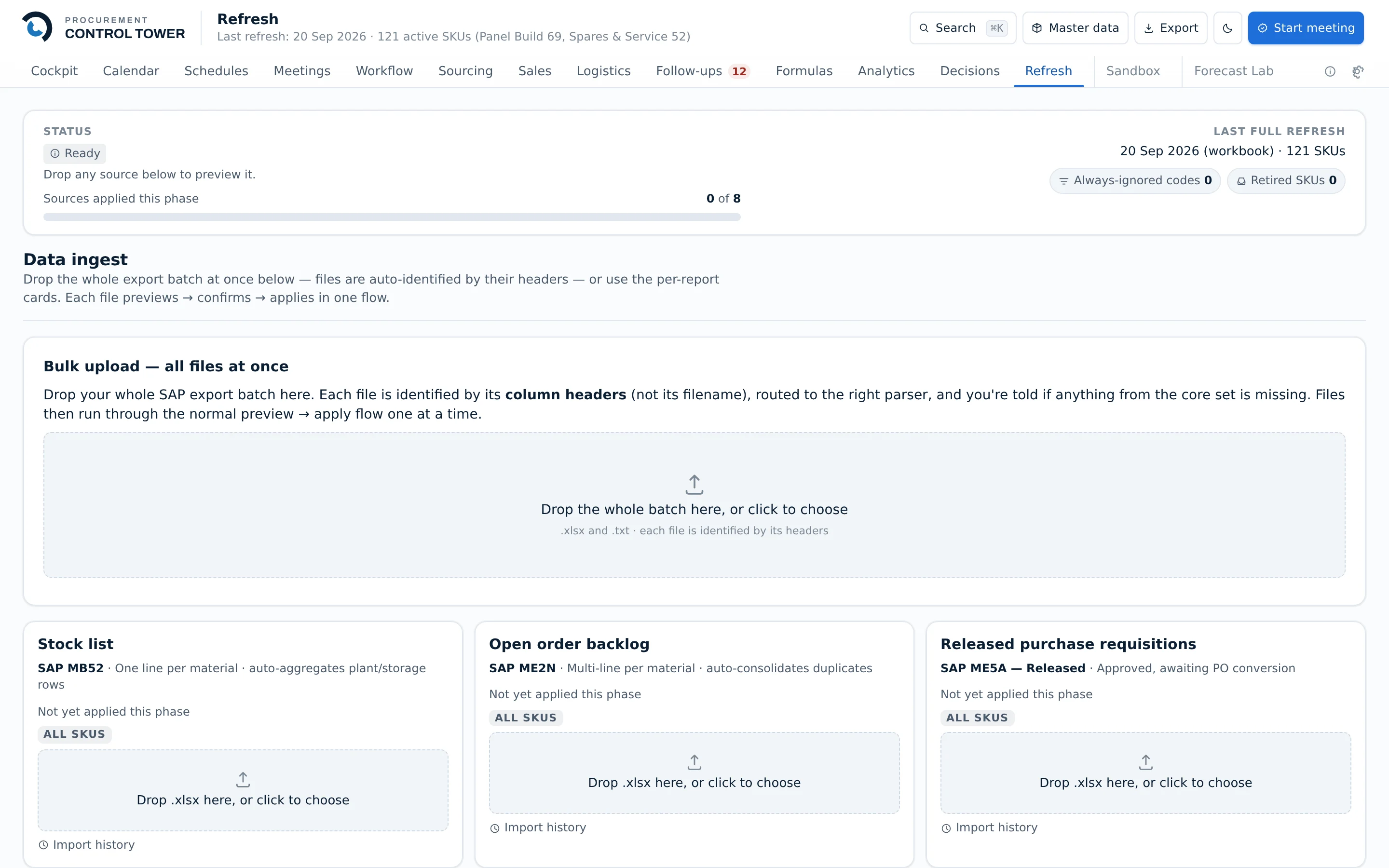
The data arrives as files you already export
Stock on hand, open purchase orders, open sales orders, goods receipts, consumption history, bills of material. A mapping engine reads your column names, not ours, so nothing has to be renamed or reformatted first.
Every upload is recorded in a ledger: which file, when, and who loaded it. A wrong snapshot report — stock, open orders, sales orders — is put right by loading the correct one, and the history files can be restored to any earlier version. A bad import is a correction, not an incident.
- Files are parsed in your browser — the raw export is never uploaded anywhere
- Column mapping is configured per company, not coded
- Each refresh is dated, attributed and reversible
The arithmetic is on screen, not buried
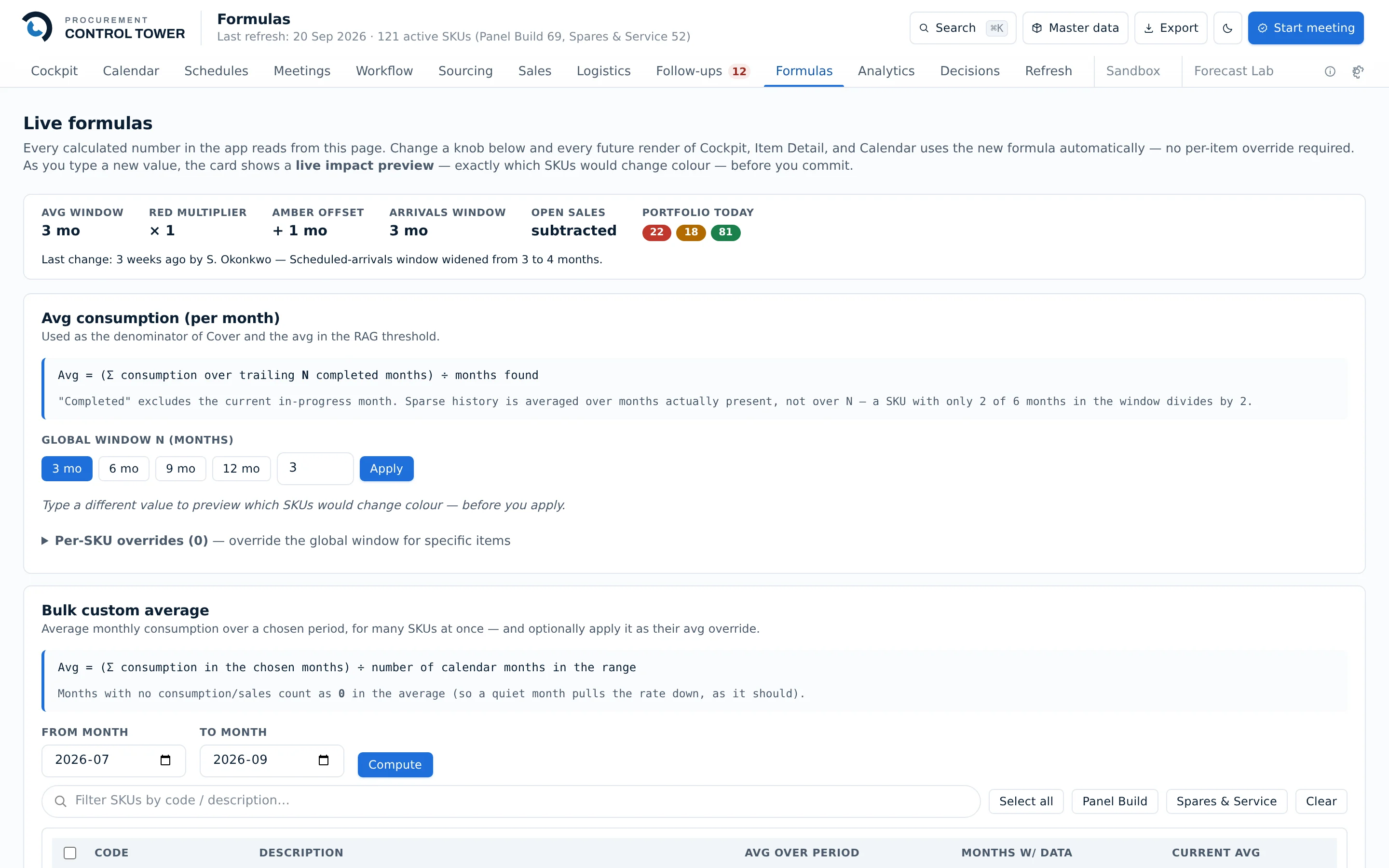
Every calculated number in the app reads from one page of formulas you can inspect and change. A planner who disagrees with a recommendation can see exactly which assumption produced it, rather than arguing with a black box.
- Thresholds are yours to set, per company
- Any figure can be overridden, and the override is visibly flagged
- A sandbox lets you try a change against real data without committing it
In practice
What a Monday looks like.
The six jobs above, as the hour they actually take.
- Export the same reports you always export. Drop them in. The batch ledger records what landed.
- Open the Cockpit. Eighteen items need ordering now, sixteen next month. The other eighty-seven are on track and can wait for another week.
- Work the nineteen. For each, the cover, the committed demand and what is already on the water are on the same row — no second spreadsheet.
- Two of them are worth a fresh quote. Open a sourcing round, invite three suppliers, and compare what comes back on a landed-cost basis rather than on unit price.
- Award, and the reasoning is stored with the award — not in somebody's inbox.
- Glance at the follow-up queue: what is overdue, what is due today, and the handful nobody has chased even once. Send them, log what was promised.
- Done. Next Monday the same hour starts from what this one decided.
Watch all six happen to one purchase.
Nineteen steps from the stock warning that raised a requirement to the liquidated damages that closed it, on real screens, with every figure produced by the software.
The worked example