

Works alongside your ERP
It runs on the reports you already export.
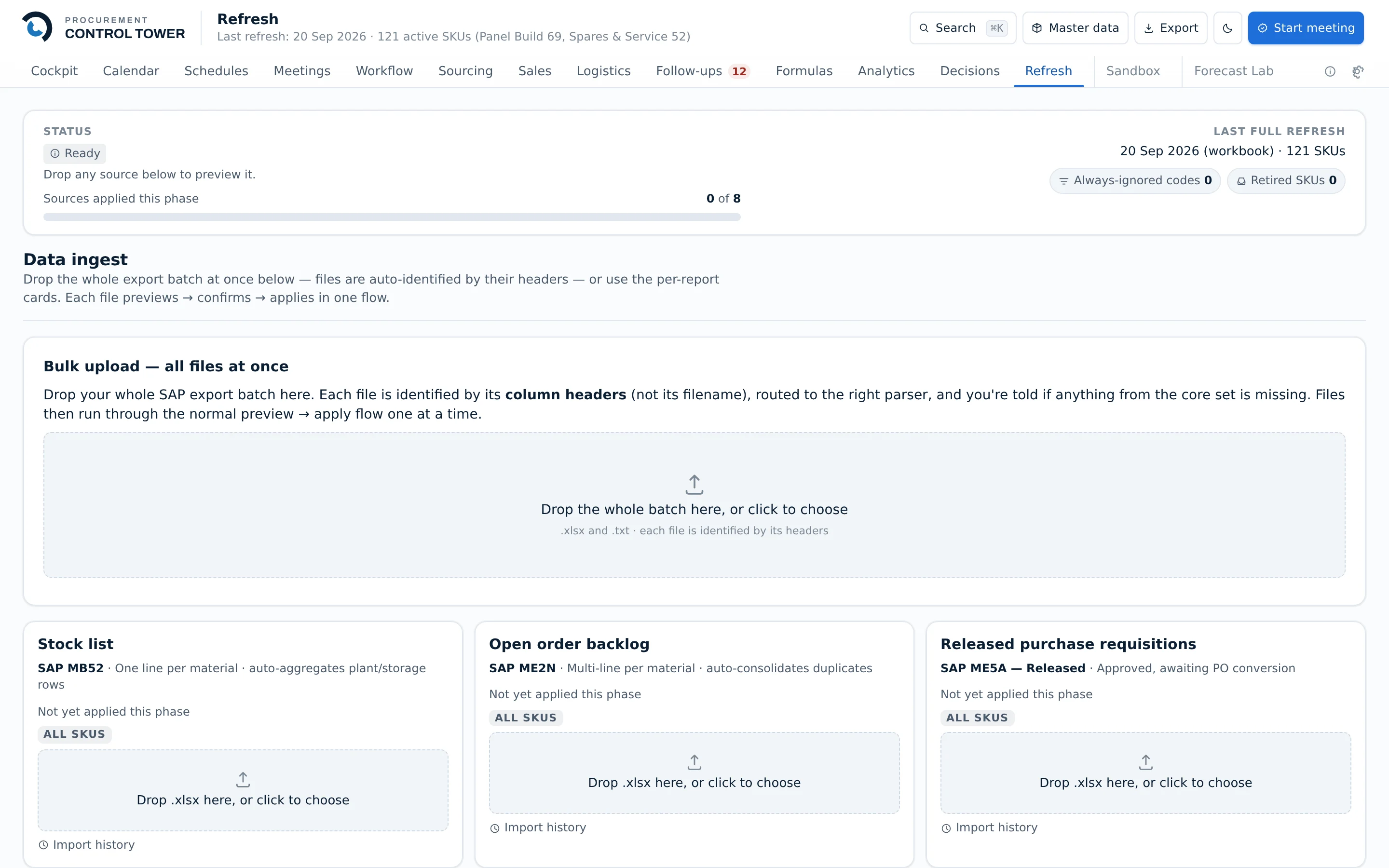
Six standard exports, uploaded when you refresh. Your ERP stays the system of record; nothing is written back to it, and no connector is installed.
What it reads
Nothing on this list is special. Every one of them is a report a procurement or warehouse team already runs — usually into a spreadsheet, usually every week.
Stock on hand
By item and by location, so cover is calculated against what is actually on the floor.
Open purchase orders
Quantities and values still outstanding, so material already on the way is counted before anything is reordered again.
Open sales orders
Committed demand, netted off before a recommendation is made.
Goods receipts history
Where real supplier lead times come from — measured, not the number typed into the item master years ago.
Consumption or issue history
Where demand comes from. For a manufacturer, what production actually drew.
Bills of material
So a finished product's demand explodes into the components that have to be bought.
Built against SAP exports, but nothing in the import path is SAP-specific: it reads the columns, not the system that produced them.
Your column names, not ours.
No two companies export the same file. A company's own field names are mapped once, in a screen, and every later upload follows that mapping.
Mapping is configuration, not a release
Pointing a new export's columns at the right fields is an afternoon's work by the person who owns the data — not a change request, a quote and a wait.
Fields you have that we have never heard of
A company can carry its own fields through the whole system. They are captured, stored and shown alongside everything else.
Every import is on the record
Each upload is recorded with the file, the date and who loaded it. A wrong snapshot report is put right by loading the correct one, and the history files can be restored to any earlier version. A wrong file costs a few minutes, not an afternoon.
What that saves you.
The row that matters is the last one. Everything above it is the reason the last one is true.
| Aspect | A typical control tower | Procurement Control Tower |
|---|---|---|
| Connection to the ERP | A live connector or middleware layer | Files you already export |
| Who has to be involved | IT, your ERP partner, extra licences | The procurement team, plus an administrator to set up accounts |
| Write access to the ERP | Often required | None. Ever. |
| Risk to the system of record | Real, and permanent | None — it cannot reach it |
| Time to a useful screen | Weeks of onboarding | The first upload, once its columns are mapped |
See it on a real week of work.
The clearest way to judge this is to follow one requirement from the signal that raised it to the invoice that closed it.
Follow one requirement