

What it covers
From forecast to freight, in one place.
Every screen for direct materials procurement — the parts that go into what you build — grouped into the five questions a buying team has to answer every week. One login, one set of numbers, no handover between tools.
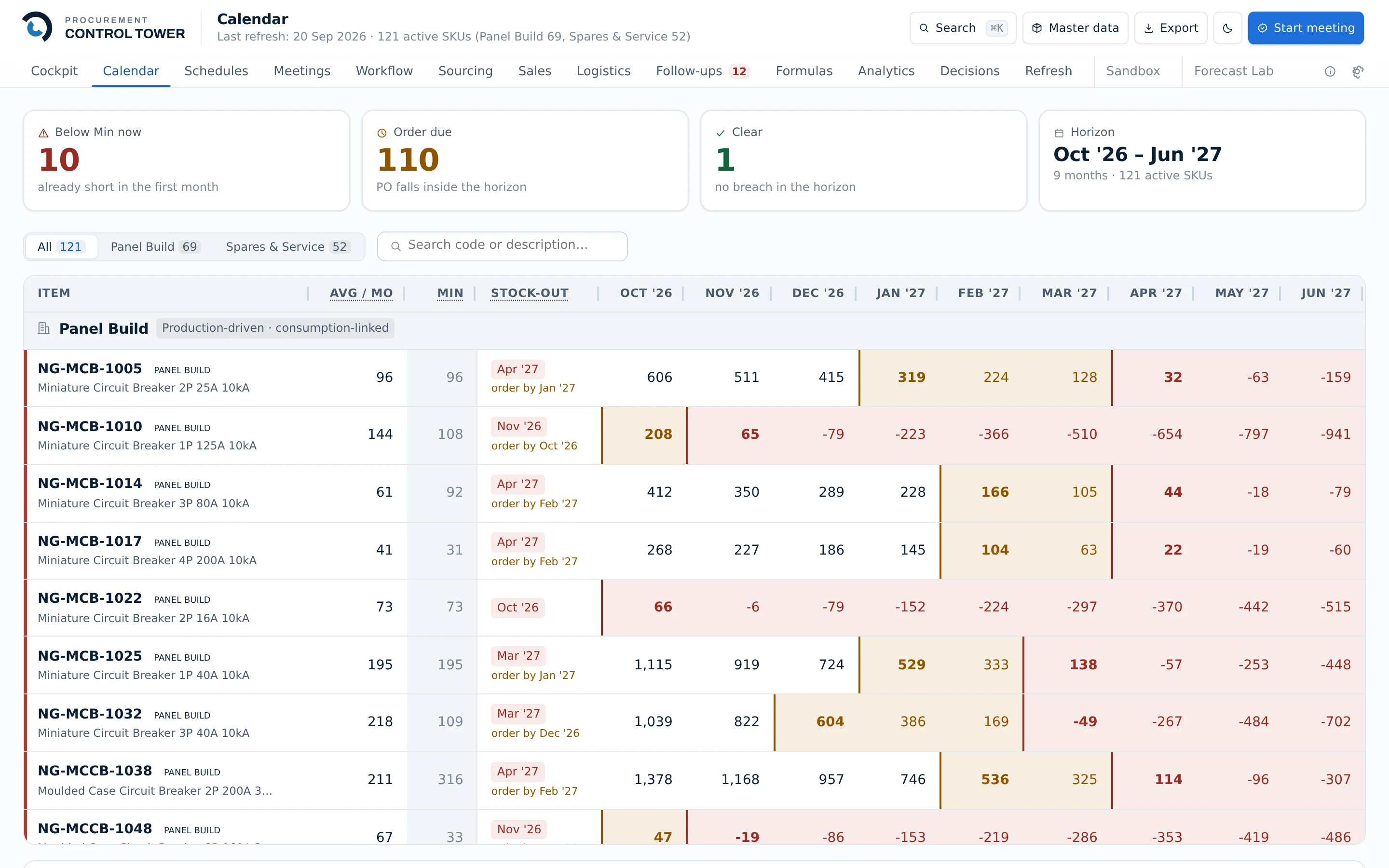
Plan
- Cockpit
- Calendar
- Forecast Lab
- Formulas
What will we need, and when do we run out?
The outcome: on any Monday, the list of items that need ordering this week is a number on a tile rather than an afternoon of merging spreadsheets — and every item not on it is one nobody has to look at.
- Stock cover per item, net of committed customer demand and inclusive of what is already shipping
- A month-by-month arrival calendar with the projected stock-out date for every item
- Reorder recommendations from your own lead times, safety stock and service levels
- Visible formulas — every calculated number reads from one page you can inspect and change
- Consumption history kept month by month, with closed years baked into annual averages
Source
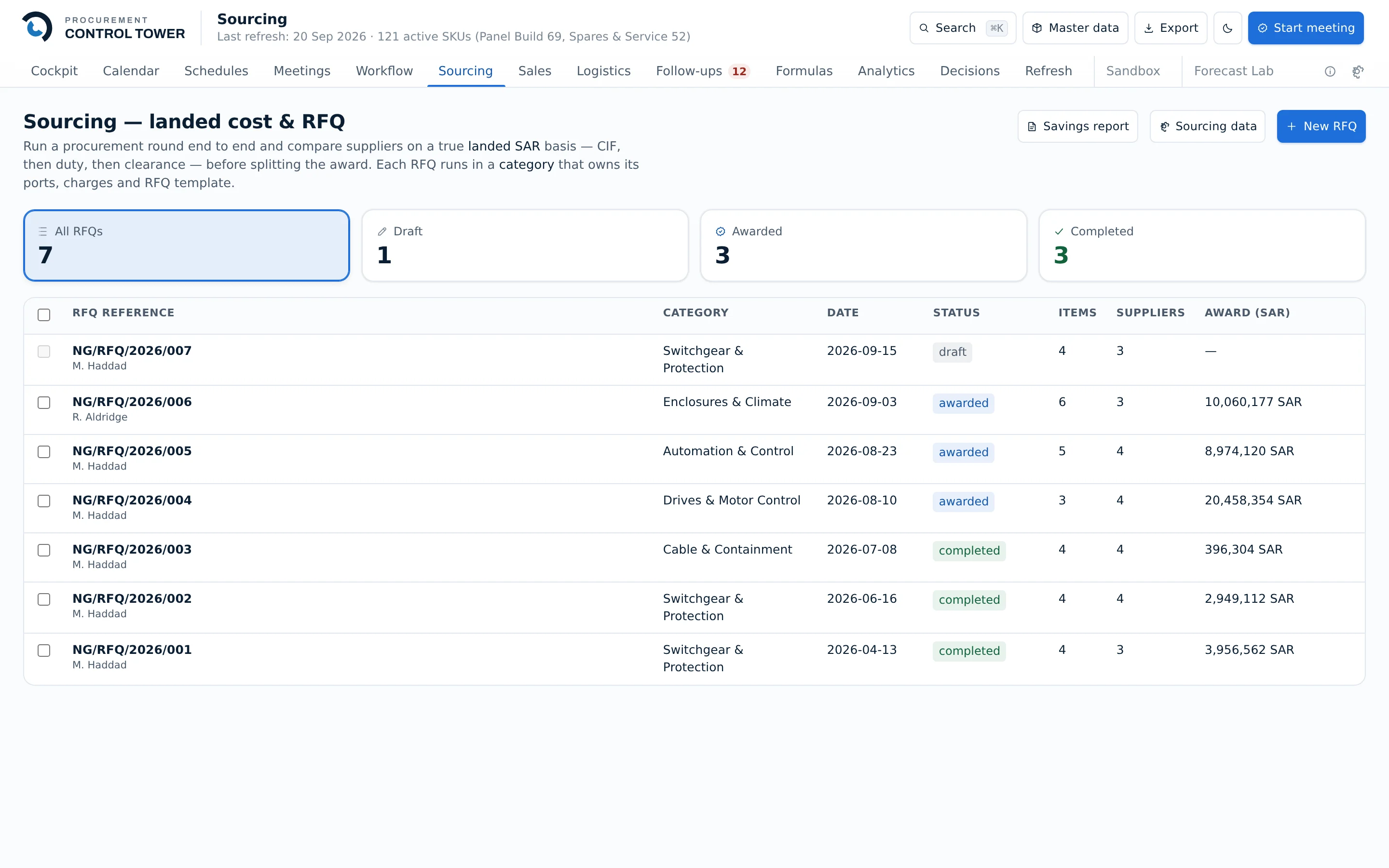
- Sourcing
- Workflow
- Follow-ups
Who supplies it, at what landed cost, approved by whom?
The outcome: the supplier you award is the one whose material is genuinely cheapest on your factory floor, not the one whose quotation looked lowest — and the reason you chose them is still readable next year.
- A full RFQ round — list the requirement, invite suppliers, capture every quote, compare them, split the award
- Landed cost, not unit price — quotes in each supplier's own currency, compared on what the goods actually cost delivered to the plant: the total cost of ownership of that purchase, not its headline
- The award reasoning is kept with the award, so a split decision can be explained later
- Approvals enforced by the database, not by hiding a button in the interface
- Expediting as a queue, not a memory — a follow-up thread per open order: what was promised, by whom, and when to ask again
Move
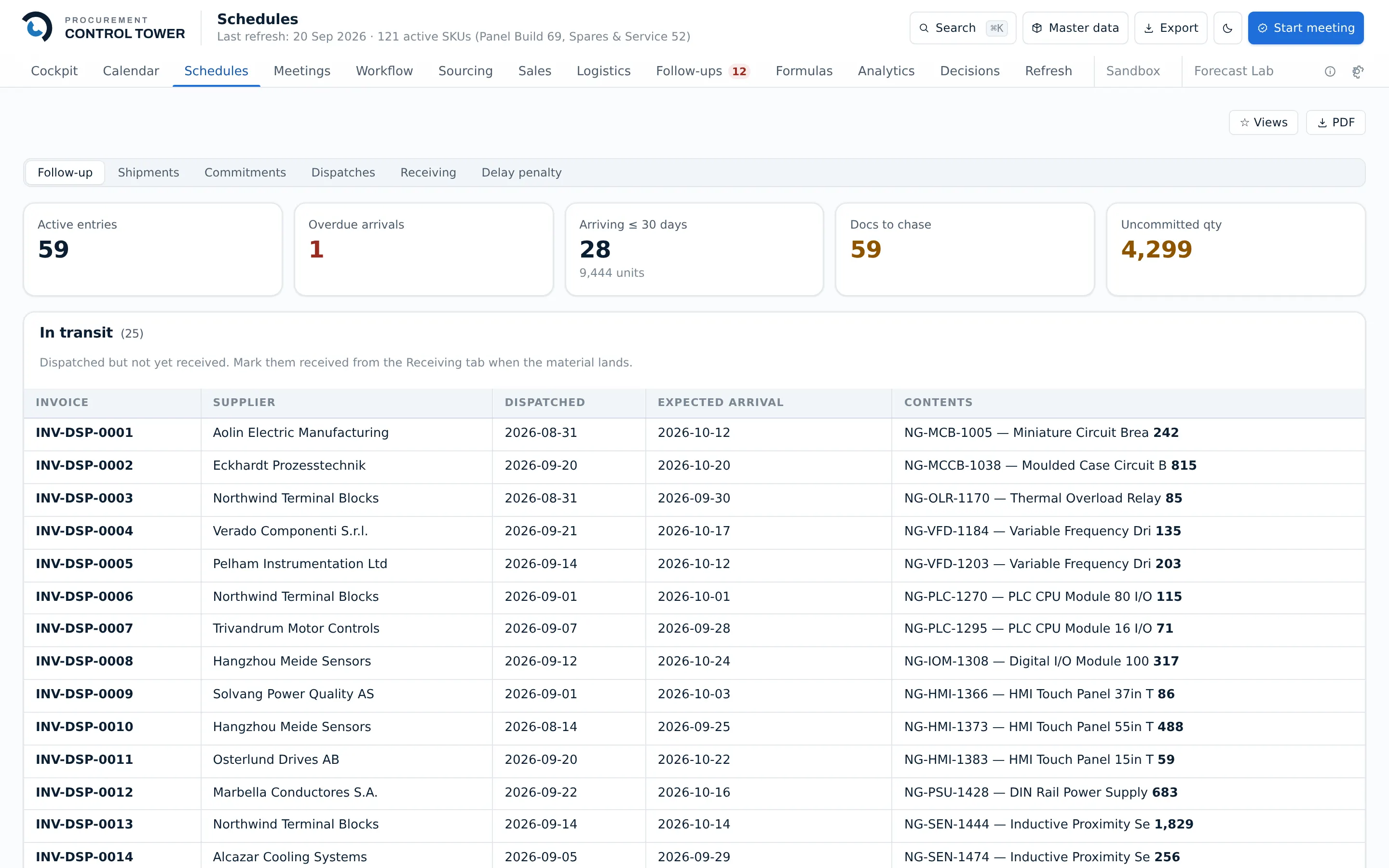
- Schedules
- Logistics
Where is it, what did it cost to land, and who was late?
The outcome: a late shipment arrives with its liquidated damages already calculated from the original commitment, in the purchase order's own currency, on a statement you can send — instead of a clause nobody has the four numbers to enforce.
- Dispatch schedules per purchase order, with the arrival date derived from dispatch plus real transit time by route
- Liquidated damages computed, not argued about — measured against the original commitment, at your contracted rate, in the order's own currency
- A freight cost model fitted from your own historical trips, rather than a rate card that was already out of date when it was written
- Dispatches, forwarders and combined transporter invoices reconciled in one place
- On-time delivery measured against your own commitments — the date promised versus the date shipped, per supplier. Dates only: shortfalls and defects are not measured, so this is not OTIF and is not called it
- Delivery notes indexed and matched back to the shipment they belong to
Sell
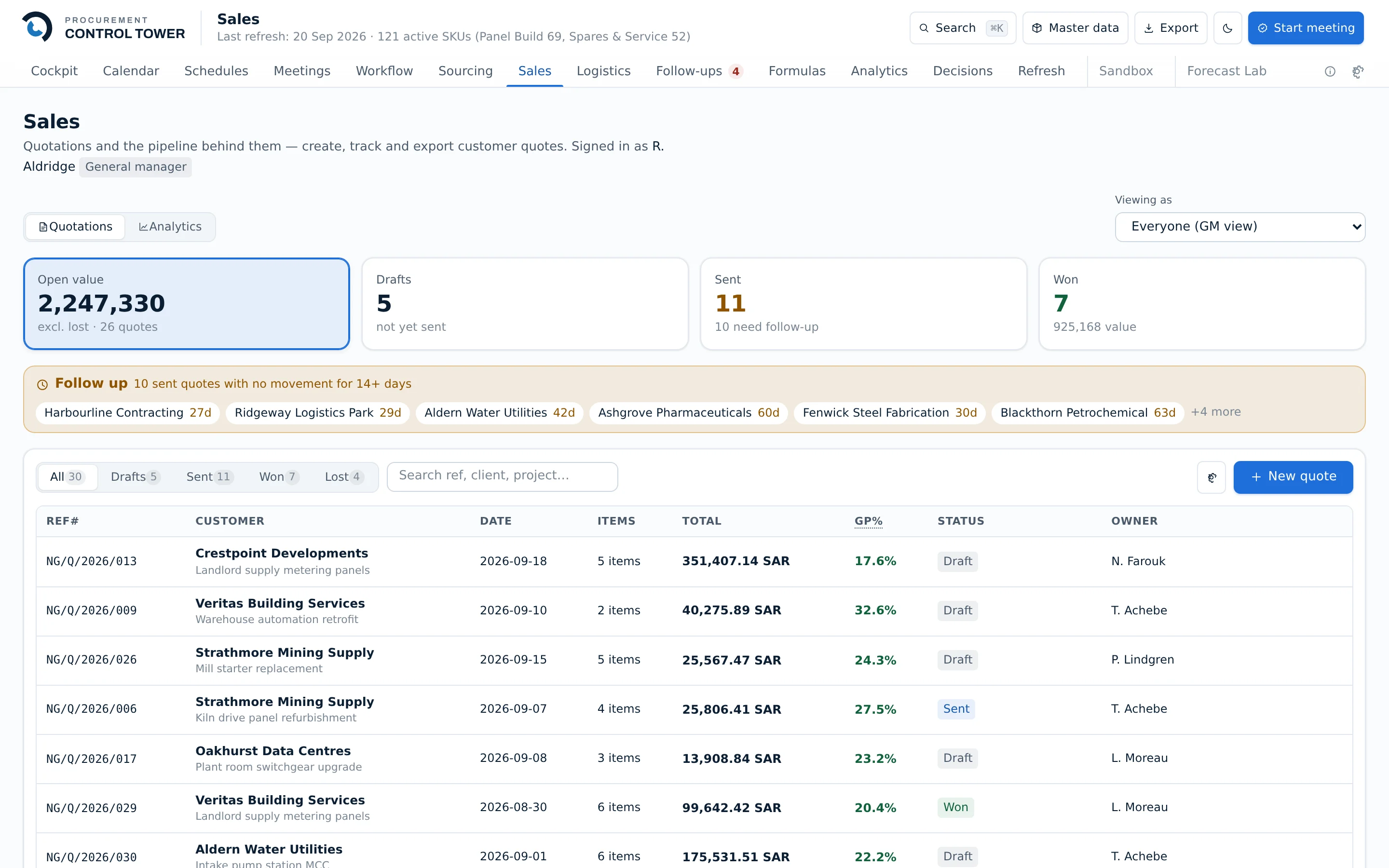
- Sales
- Quotations
What did we promise customers, and at what price?
The outcome: what you have sold is netted off what you have before the reorder decision is made, so the buying side is never planning against stock that is already spoken for.
- Customer quotations built from the same item and cost data the buying side uses
- Region-aware pricing settings, so a quote to one market does not silently use another's assumptions
- Committed customer demand feeds straight into the Cockpit: what you have sold is netted off what you have, before the reorder decision is made
- Quotes export as formatted workbooks ready to send
Govern
- Meetings
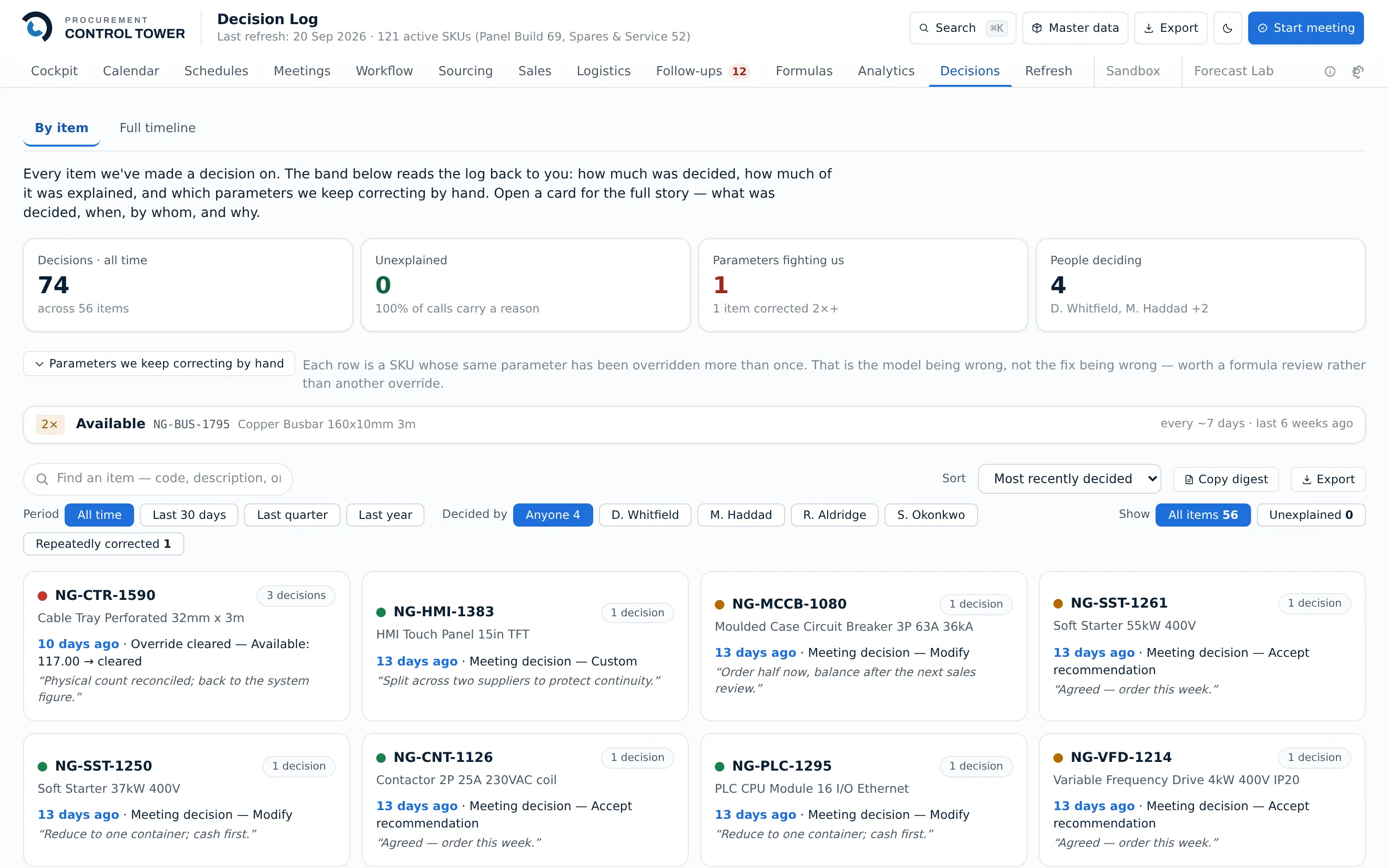
- Decisions
- Analytics
- Refresh
- Team
- Sandbox
Who decided what, on what evidence?
The outcome: “why did we buy that much, from them, then?” has an answer with a name and a date on it — and the numbers that were on screen when the call was made.
- Run the review inside the app — actions get an owner and a date instead of evaporating when the meeting ends
- A decision trail per item, kept with the numbers that were on screen at the time
- Snapshot replay: see any past week exactly as it looked, frozen
- Read-only analytics across procurement, logistics and sales, from data already in the system — including purchase-order cycle time (order raised to goods received, measured rather than estimated) and price variance per part against what it has cost before
- Roles and capabilities per person, resolved by the database rather than trusted from the browser
- A sandbox for trying a change against real data without committing it
See all five areas on one purchase.
Plan, source, move, sell and govern are not five products. The worked example runs a single requirement through every one of them, in nineteen steps, with every figure produced by the software.
The worked example