

How it works
Four steps, one screen, every week.
No connector to install, no middleware, no IT project. The loop runs on files your team can already export today — and it ends with a decision somebody can defend three months later.
Refresh
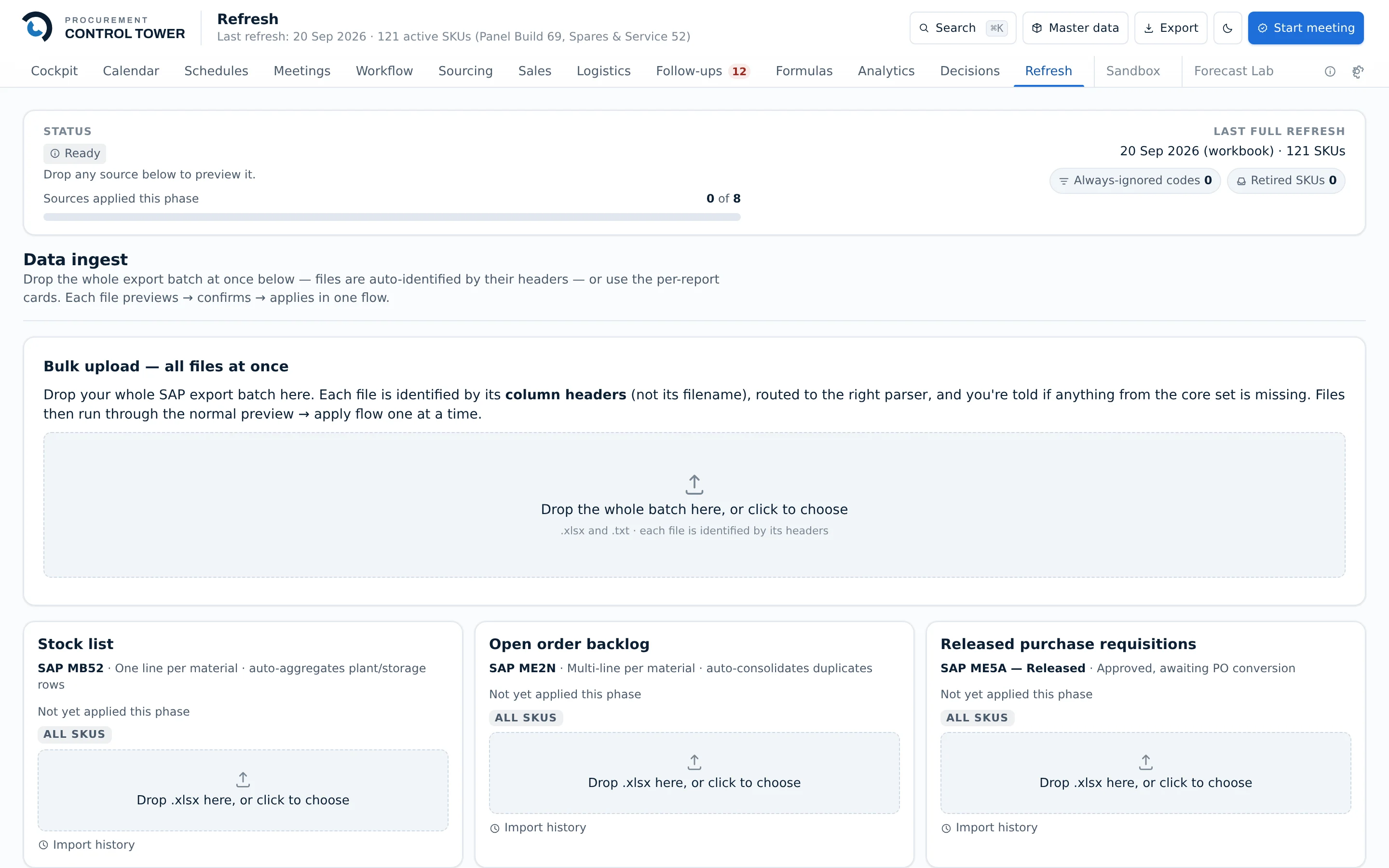
Drop in the exports you already run — stock on hand, open purchase orders, open sales orders, goods receipts, consumption history. A mapping engine reads your column names, not ours, so nothing has to be renamed or reformatted first.
Every upload is recorded in a batch ledger with what it contained and when it landed, and any one of them can be rolled back. An import that turns out to be wrong is an undo, not an incident.
- Files are parsed in your browser — the raw export is never uploaded anywhere
- Column mapping is configured per company, not coded
- Each refresh is dated, attributed and reversible
See
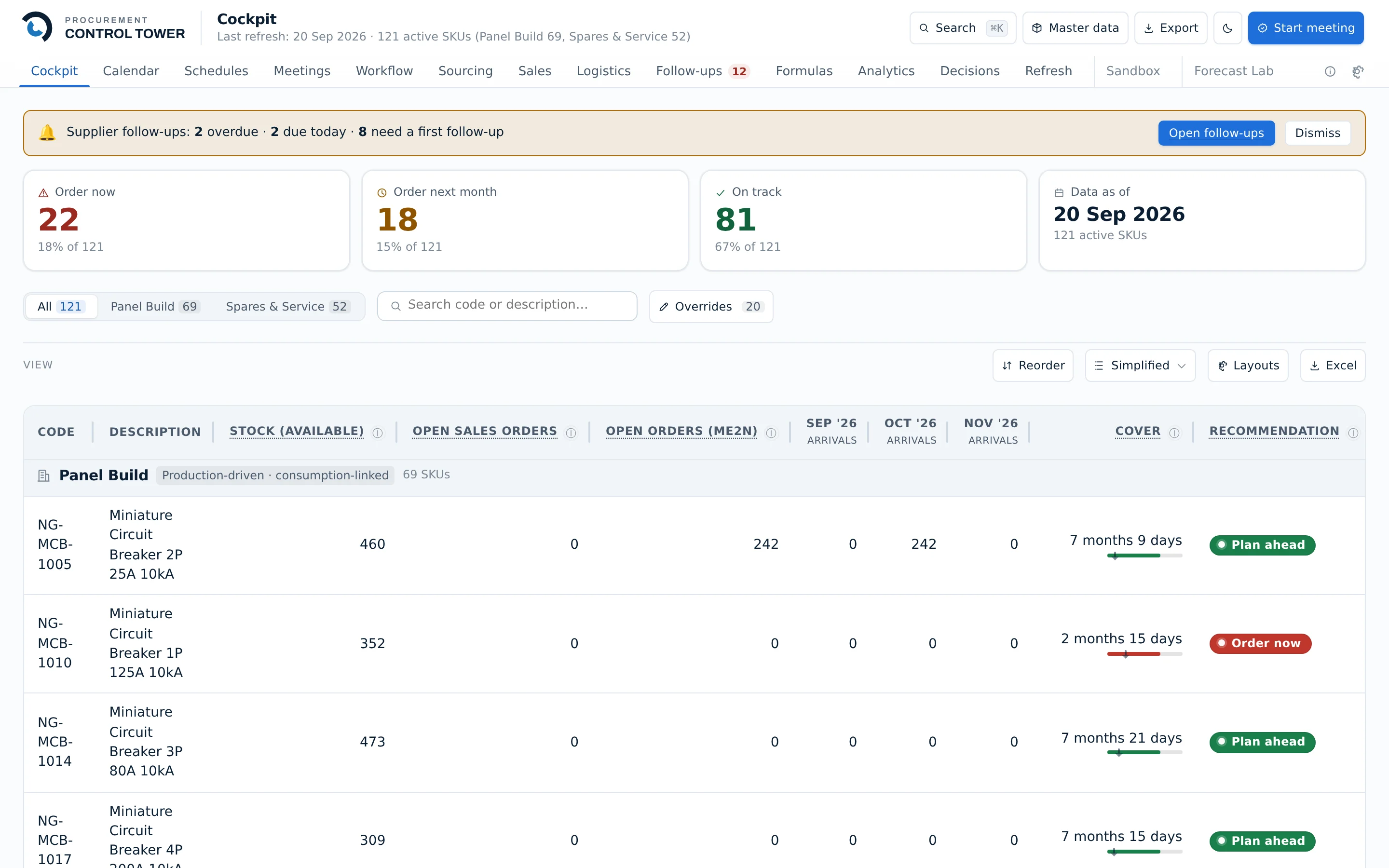
One table, every item. Stock available, committed customer demand, open purchase orders, what is arriving in each of the next three months, and how many months of cover that adds up to.
The four tiles at the top are the whole week in one line: how many items need ordering now, how many need ordering next month, how many are fine, and how old the data is.
- Grouped by the planning model each item actually follows
- Sortable, filterable, and exportable to Excel in one click
- Works on a phone — a separate mobile interface, not a squeezed desktop one
Decide
Every row carries a recommendation — order now, order next month, or on track — computed from your own lead times, safety stock and service levels.
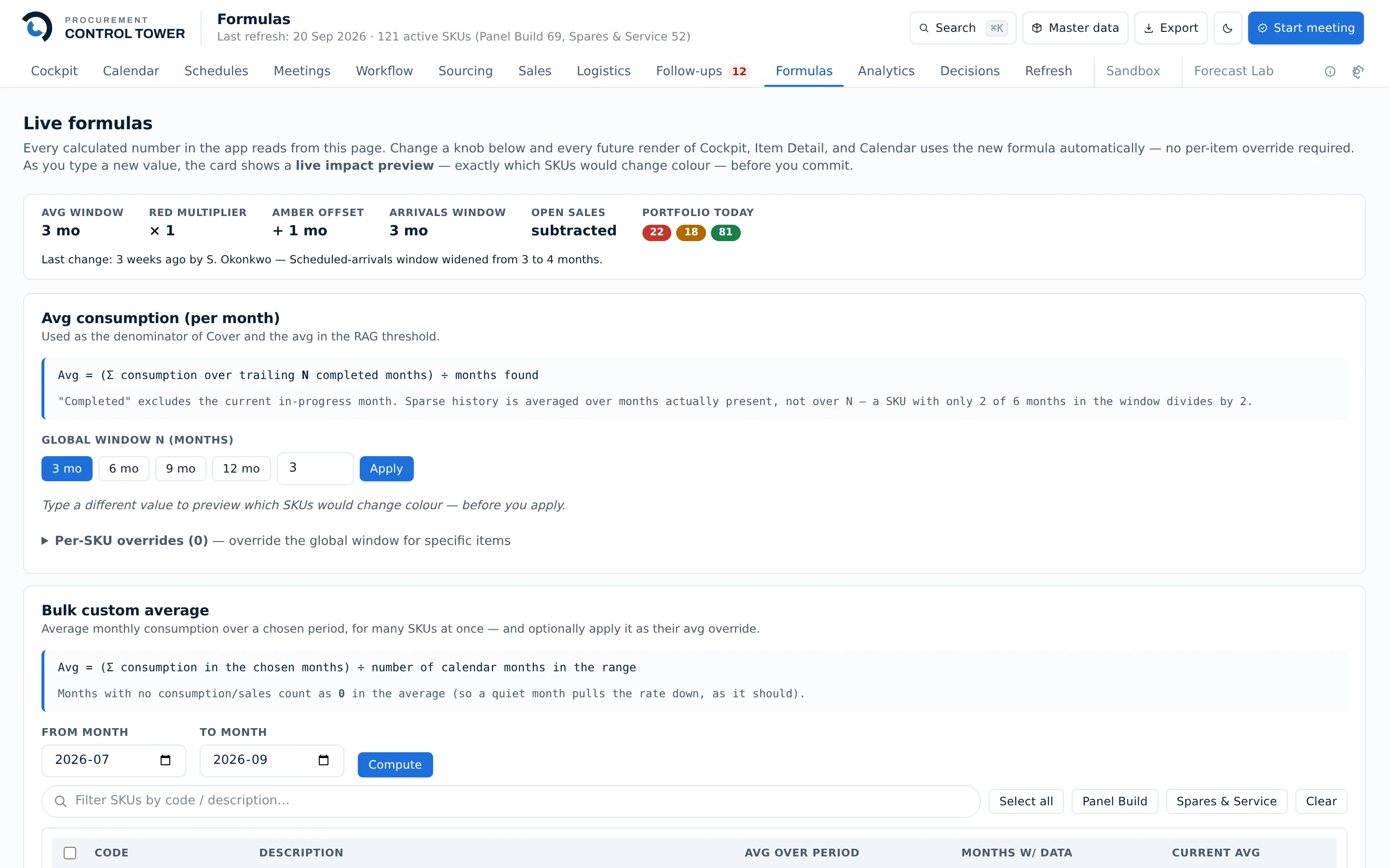
And the arithmetic is on screen, not buried. Every calculated number in the app reads from one page of formulas you can inspect and change. A planner who disagrees with a recommendation can see exactly which assumption produced it, rather than arguing with a black box.
- Thresholds are yours to set, per company
- Any figure can be overridden, and the override is visibly flagged
- A sandbox lets you try a change against real data without committing it
Record
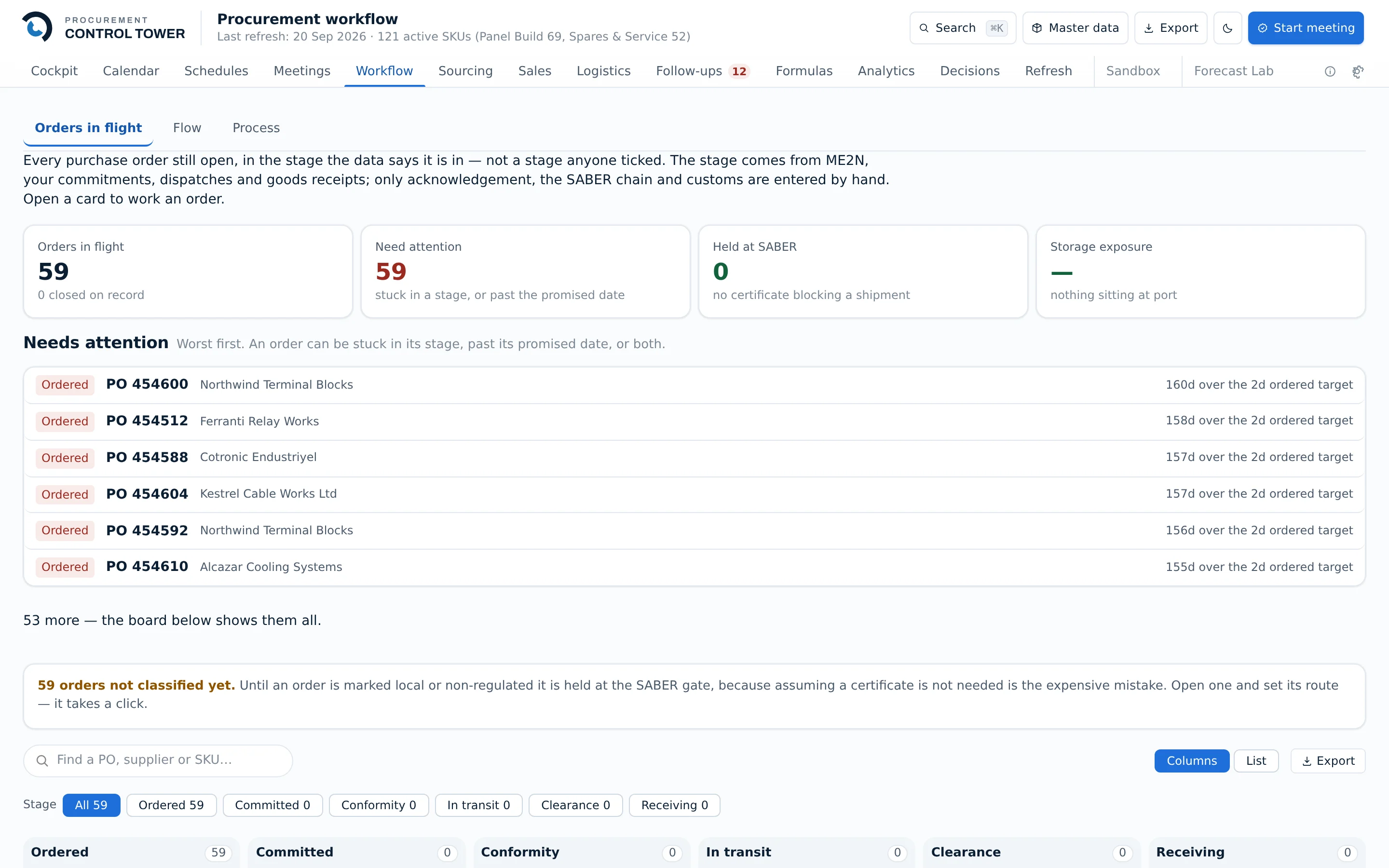
A decision that only exists in a meeting is a decision nobody can check. The order, the approval, the delivery and the payment are tracked as one chain, from “we need to order” to “the payment cleared”.
Reviews run inside the app: actions get an owner and a date, and what was decided is kept with the numbers that were on screen at the time. Three months later the question “why did we buy that much, from them, then?” has an answer.
- Approvals are enforced by the database, not by the button being hidden
- A frozen snapshot can replay any past week exactly as it looked
- Administrative actions are written to an audit log
Chase what is late
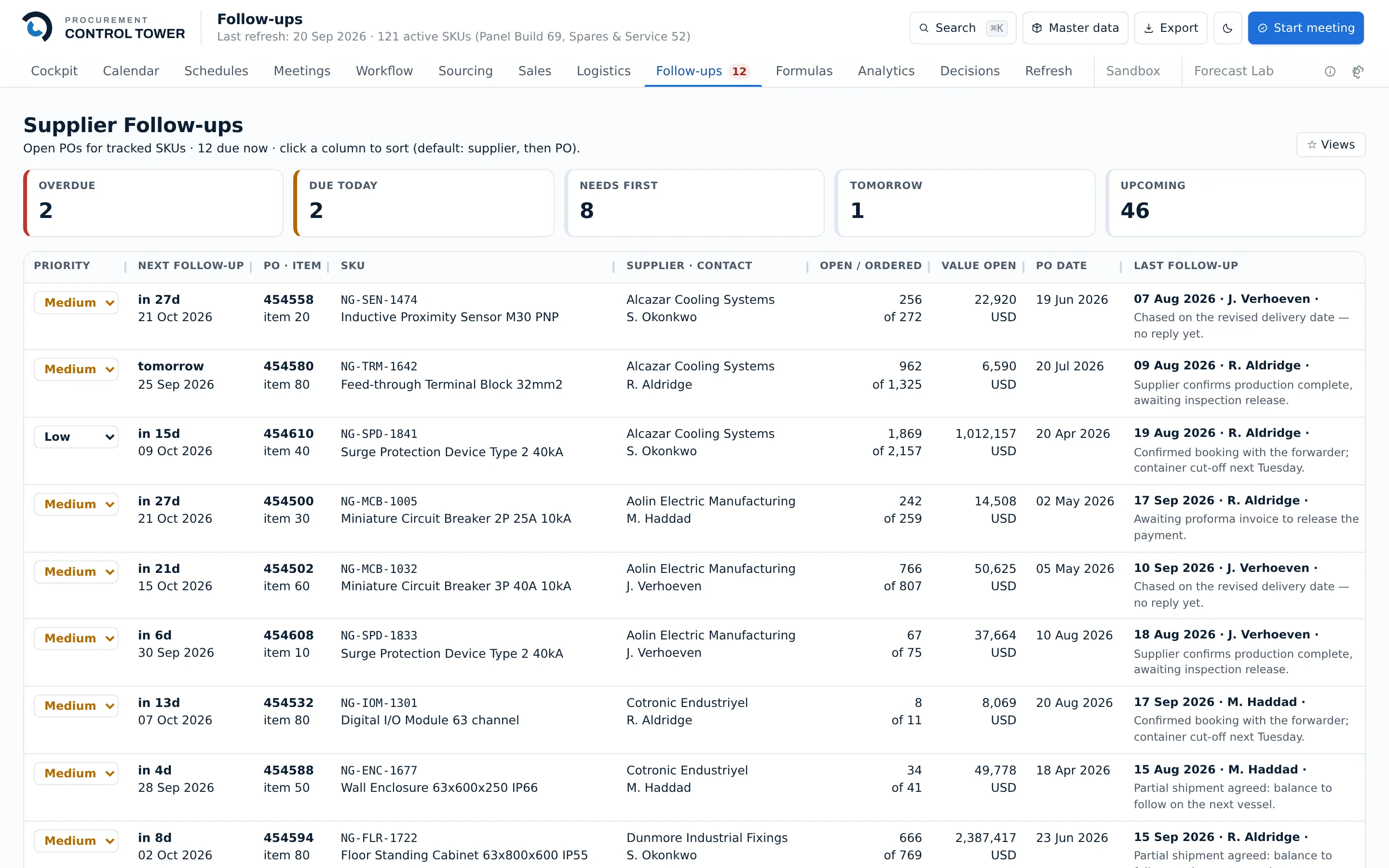
Most of the value in procurement is not the order. It is knowing which supplier has gone quiet, and when you last asked.
Every open purchase order carries its own follow-up thread: what was promised, by whom, on what date, and when to ask again. The queue sorts itself by what is overdue.
In practice
What a Monday looks like.
The loop above, as the hour it actually takes.
- Export the same four reports you always export. Drop them in. The batch ledger records what landed.
- Open the Cockpit. Fourteen items need ordering now, sixteen next month. Everything else is fine and does not need looking at.
- Work the fourteen. For each, the cover, the committed demand and what is already on the water are on the same row — no second spreadsheet.
- Two of them are worth a fresh quote. Open a sourcing round, invite three suppliers, and compare what comes back on a landed-cost basis rather than on unit price.
- Award, and the reasoning is stored with the award — not in somebody's inbox.
- Glance at the follow-up queue: two overdue, two due today. Send them, log what was promised.
- Done. Next Monday the same hour starts from what this one decided.
See what it covers.
Seventeen screens across planning, sourcing, logistics, sales and governance.
What it covers